
1. Why Shorten Boot Time?
2. Menthods used to accomplish
2.1. NAND Partition Restructuring & Lazy Mount Strategy for UserFS
2.2. Streamlining Systemd Services (User Space)
2.3. Reducing Log and Console (Bootloader & Kernel)
3. Results Achieved and Overall Assessment
1. Why Shorten Boot Time?
On Linux-based MPUs like the STM32MP1, the default boot time from NAND is often very long, potentially reaching 45 seconds or more. Shortening this time is not just a technical improvement but a mandatory requirement for the following reasons:
- User Experience (UX): In today’s “instant-on” world, users don’t accept having to wait nearly a minute for a handheld device or HMI panel to be ready to operate. Fast boot times create a feeling of robustness and reliability.
- System Responsiveness: For industrial or IoT applications, devices need to be operational and connected as quickly as possible after power is supplied to perform critical tasks such as data collection, actuator configuration control, or alert sending.
- Reliability and Recovery: In the event of a power outage and the system needs to restart (reboot), the shorter the restart time, the less downtime the system experiences, minimizing data risks and maintaining service continuity.
2. Methods used to accomplish
To reduce boot time from approximately 1 minute 10 seconds to under 25 seconds, we need a holistic approach that intervenes in every stage of the boot process (Bootloader → Kernel → Rootfs → User Space).
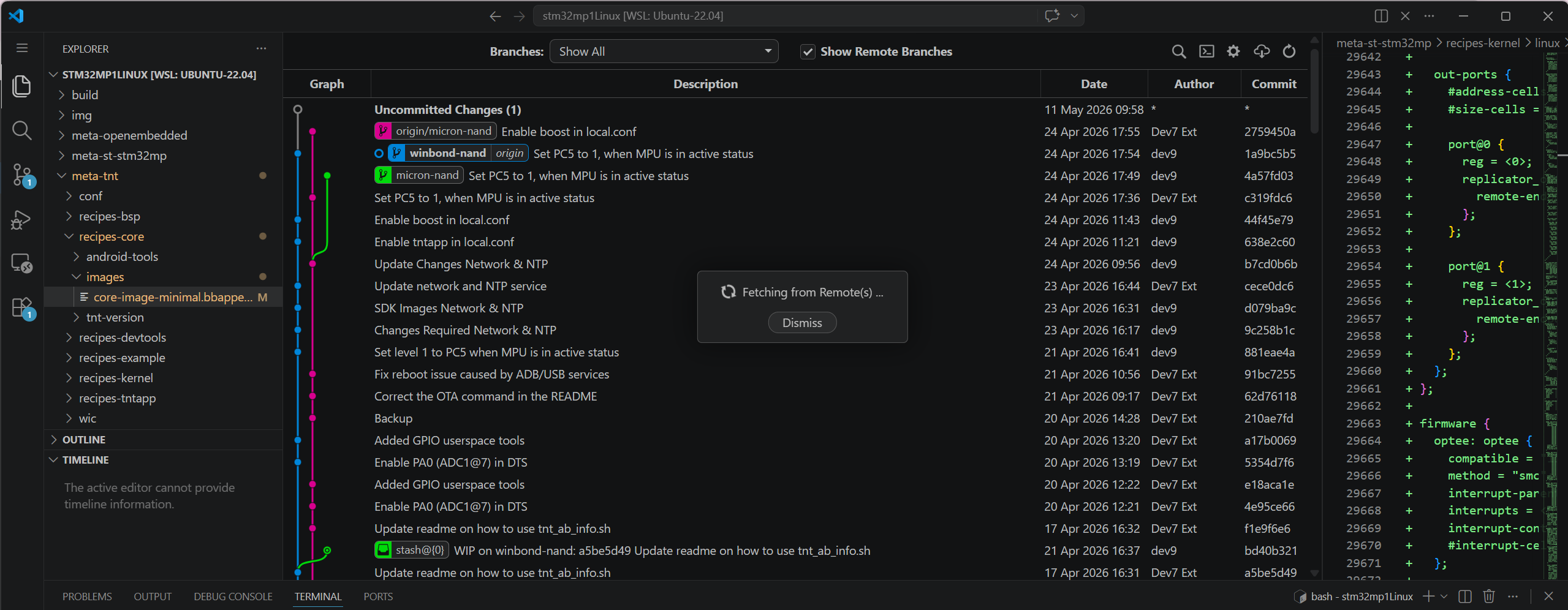
overall program code structure
Based on the optimization scheme, the core methods applied include:
2.1 NAND Partition Restructuring & Lazy Mount Strategy for UserFS
This change yielded the biggest results. The userfs partition is typically very large (800MB in this example) and contains application data. Having systemd scan and mount this partition at boot time cripples the system due to the slow read speeds of NAND.
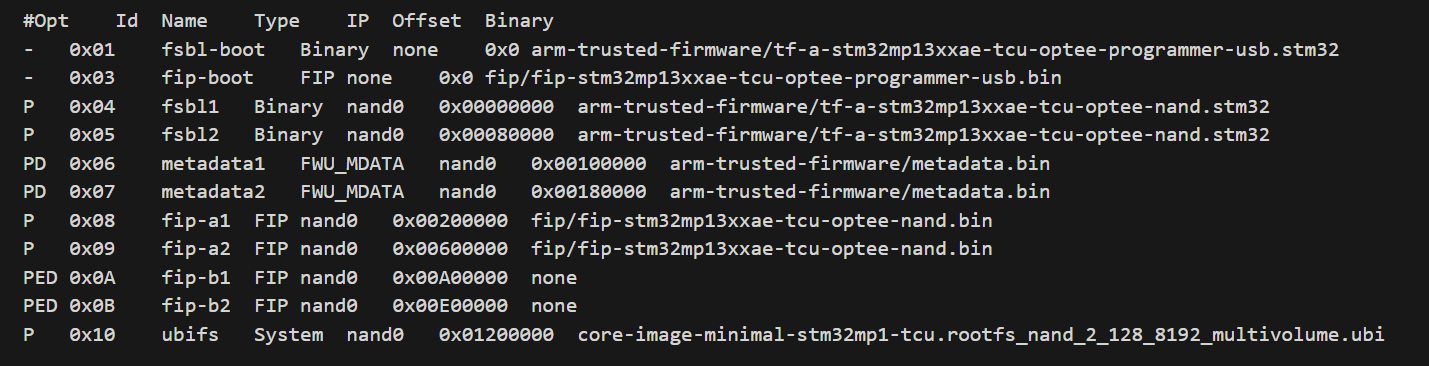
The .tsv file was built before modification.
How??
- Flash Layout (TSV): Move the userfs partition to the end of the memory strip, after the critical partitions (bootfs, vendorfs) have been positioned. This optimizes sequential driver reading.
- Configure /etc/fstab (Lazy Mount): Instead of letting the system mount automatically via defaults, reconfigure the userfs mount line using x-systemd.automount.
- Bash
LABEL=userfs /usr/local/user data rw,noauto,x-systemd.automount 0 0
Mechanism: The partition is not mounted during boot. Only when the main application actually accesses /usr/local/user does systemd mount it. This completely frees up this time from the main boot process.
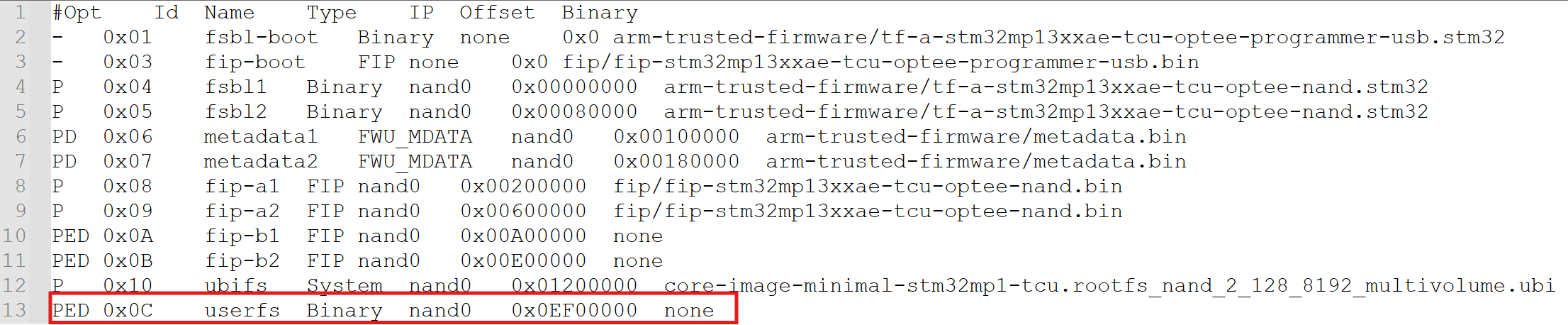
The .tsv file was built after modification.
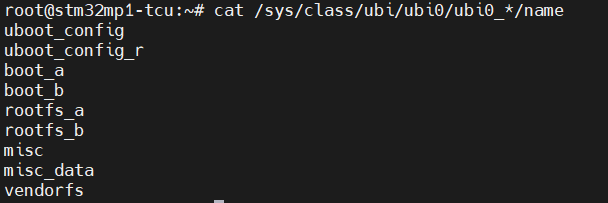
UBI’s logs
Based on the common UBI partition structure on the STM32MP1 (as shown in the device log image, including partitions uboot_config, boot_a, rootfs_a, vendorfs…), we see that the system typically uses a dual-boot (A/B) mechanism to ensure safety during updates. The principle here is to only mount the minimum necessary components to run the kernel and initial user space (such as rootfs and vendorfs). The remaining large data partitions (such as userfs if present, or misc_data) are absolutely not auto-mounted at boot time to avoid clogging the NAND read bandwidth.
2.2 Streamlining Systemd Services (User Space)
The Yocto/OpenSTLinux operating system by default installs many unnecessary services for a “single-app” system (running a single application).
How to do:
Use the `systemctl mask` command to completely disable time-consuming services. We’ll focus on services that are waiting on unused network or hardware:
Bash
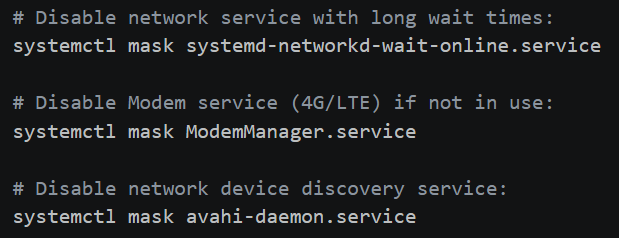
The image below illustrates the specific commands used to “mask” redundant services. In systemd, masking is more powerful than disabling because it links the service to /dev/null, preventing any other service from accidentally triggering it during the boot sequence.
Specific systemctl commands to eliminate boot-time bottlenecks.
2.3 Reducing Log and Console (Bootloader & Kernel)
Printing data to the Serial Console via UART with a low baud rate (115200) is a burden. Each log line represents the CPU’s waiting time for the UART to process.
How to do it:
- U-Boot: Set the key wait time to 0 (setenv bootdelay 0) and (if needed) enable silent mode (setenv silent 1).
- Kernel Command Line (bootargs): Edit the boot configuration file (extlinux.conf) to pass optimal logging parameters to the Kernel.
3. Results Achieved and Overall Assessment
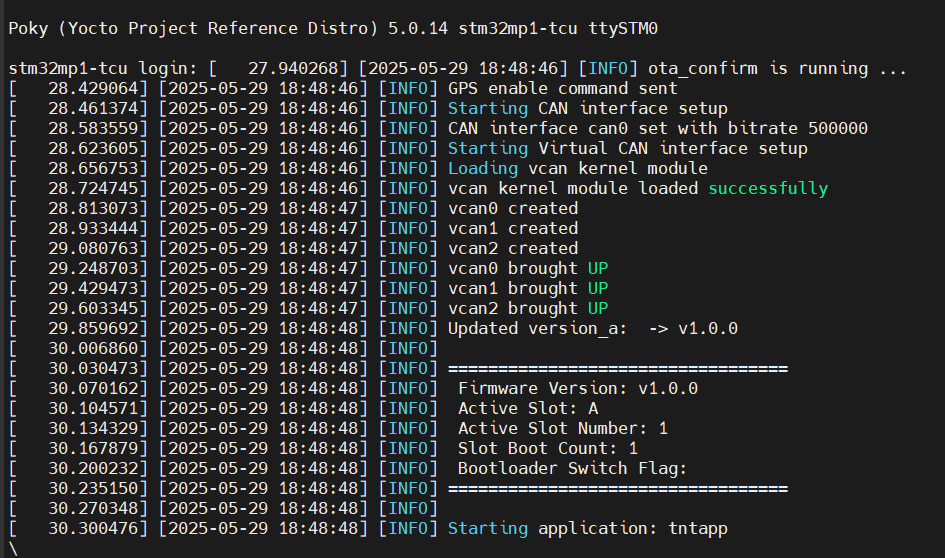
By applying these methods simultaneously, we achieved impressive results. You can see a visual comparison in the “BOOT TIME COMPARISON” chart.
- Initial boot time: Approximately 1 minute 10 seconds.
- Optimized boot time: Reduced to approximately 28 seconds.
- Total time reduction: >30 seconds.
Breakdown time chart showing the reduction in stages (actual on the board):
| Boot Stage | Key Action | Time Reduced |
| Bootloader (U-Boot) | bootdelay=0, disable logs |
1.5s – 2s |
| Linux Kernel Boot | quiet loglevel=3 |
2s – 3s |
| Rootfs/NAND I/O | Delaying & Lazy Mounting UserFS (800MB) | ~20s |
| User Space (Systemd) | systemctl mask <services> |
~5s |